










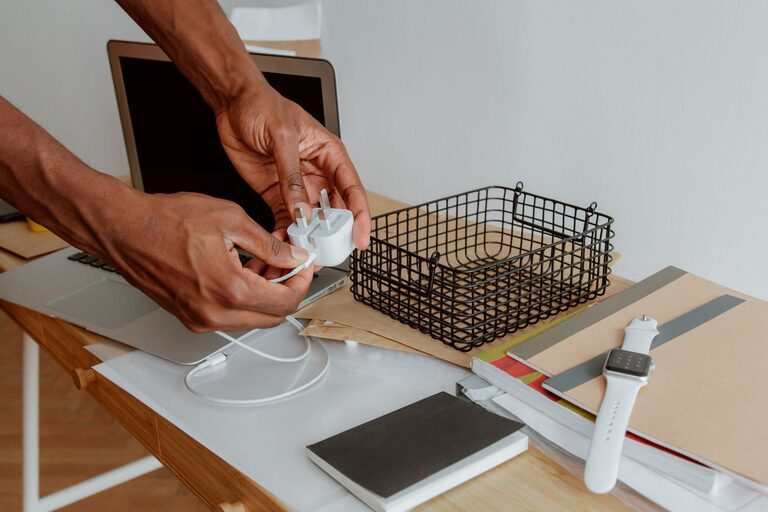
Why Cable Organization Matters
Cables and chargers can quickly turn into a tangled pile on a desk, kitchen counter, or bedside table. When every cord looks similar, it becomes difficult to find the right one. Loose cables can also collect dust, take up useful space, and make a room look cluttered.
A simple cable organization system can save time and make daily routines easier. The goal is not to hide every cord perfectly. Instead, create a setup where each cable has a clear purpose, a convenient storage spot, and an easy way to identify it.
Start With a Cable Cleanout
Before buying organizers, gather all your cables and chargers in one place. Check desks, drawers, bags, closets, and storage boxes. You may find duplicates or forgotten cables that no longer match any device.
Create three groups:
– Keep: Cables and chargers you use regularly
– Store: Useful backups or seasonal items
– Recycle or discard: Damaged, outdated, or unidentified items
Inspect each cable carefully. Do not keep cords with split insulation, exposed wires, bent connectors, or signs of heat damage. If you are unsure what a cable does and cannot match it to a device, place it in a separate temporary box. If you do not need it after a few months, it may be ready to leave your collection.
Avoid throwing electronic accessories into regular household trash if local recycling options are available. Many communities and electronics stores offer drop-off programs for old cables, chargers, and small devices.
Sort Cables by Use
Once you have removed items you no longer need, sort the remaining cables into categories. You can organize them by device, location, or purpose.
Useful categories include:
– Phone and tablet chargers
– Computer and monitor cables
– Audio and video cables
– Camera and gaming accessories
– Travel cables
– Extension cords and power strips
– Spare or rarely used cables
Choose the system that fits your routine. If you work at a desk, organizing by location may be easiest. For example, keep computer cables together and place travel cables in a separate pouch. If you have many devices, sorting by use can make it faster to find the correct cable.
Try not to create too many categories. Four to six broad groups are usually easier to maintain than a detailed system with many small sections.
Use Labels to Identify Similar Cables
Many cables look nearly identical, especially charging cords. Small labels can prevent confusion and help other people in your home return items to the right place.
You can use:
– Adhesive cable labels
– Small writable tags
– Colored tape
– Heat-shrink labels
– Reusable label bands
Write simple descriptions such as “desk monitor,” “tablet,” “camera,” or “travel.” Label both ends of longer cables if you regularly unplug them from devices or power strips.
Color coding is another easy option. For example, use blue bands for office equipment, green for personal devices, and yellow for travel items. Keep the color system simple and use the same colors consistently.
Manage Cables at Your Desk
A desk is one of the easiest places for cables to become messy because several devices may need power at the same time. Begin by deciding where each device should stay. Place the power strip in a position that is easy to reach but not directly in the middle of the floor.
Use cable clips or adhesive cable holders to guide cords along the back or underside of your desk. These holders can keep charging cables within reach instead of letting them fall behind the furniture.
For a cleaner setup:
- Place the power strip near the devices that use it most.
- Route cables along the rear edge of the desk.
- Bundle only cables that travel in the same direction.
- Leave a little extra length so cords are not pulled tight.
- Label cables that connect to similar devices.
A cable tray or under-desk basket can hide extra length and keep the floor clear. If you use a standing desk, leave enough slack for the desk to move safely between sitting and standing positions.
Store Chargers and Cables in Containers
Small containers are useful for chargers that are not needed every day. Choose boxes, drawer dividers, baskets, or fabric pouches based on the number of items you have.
Use separate containers for different purposes:
– A small pouch for daily charging cables
– A drawer section for computer accessories
– A labeled box for backup chargers
– A travel case for items used away from home
Avoid filling one large box with every cable. Even if the cords are technically contained, they can still become difficult to search through. Dividing items into smaller groups makes the system easier to use.
For drawers, use dividers or small bins to prevent cables from shifting around. For shelves, choose open baskets so you can see the contents without removing everything.
Coil Cables Without Damaging Them
The way you wrap a cable can affect how long it lasts. Avoid bending cords sharply near the connector, as this is often where damage begins.
Use the loose over-under method for longer cables. Alternate the direction of each loop so the cable does not twist into tight coils. For short charging cables, make a relaxed loop and secure it with a reusable hook-and-loop strap.
Good cable-wrapping habits include:
– Keep loops loose rather than tight
– Avoid folding a cable at the same point every time
– Use reusable straps instead of strong adhesive tape
– Keep connectors from being pulled or crushed
– Store cables away from excessive heat and moisture
Do not wrap a cable around a charger block so tightly that the cord is sharply bent at the connection point.
Create a Charging Station
A dedicated charging station can reduce clutter in shared spaces. Choose one location for frequently used devices, such as a desk, entry table, or kitchen shelf. Use a charging stand, small tray, or organizer box to keep devices and cords together.
A charging station works best when:
– The power source is nearby
– Each device has an assigned spot
– Cables are labeled or color coded
– Extra cable length is tucked away
– The surface is stable and easy to clean
Keep chargers and power strips away from spills, damp areas, and heat sources. Make sure cords do not cross walkways or become a tripping hazard.
Make Travel Cables Easy to Find
Travel accessories are easier to manage when they stay together. Use a compact tech pouch with separate sections for charging cords, adapters, earbuds, and small accessories.
Before a trip, check that you have the cables needed for your devices. After returning home, put everything back in the same pouch instead of scattering items around the house.
A short checklist inside the pouch can help you remember common items, such as:
– Phone charging cable
– Tablet or computer charger
– Wall adapter
– Power bank
– Earbud case
– Plug adapter, if needed
Maintain the System
Cable organization only works if it is easy to maintain. Once a month, take a few minutes to return loose cables to their assigned locations. Remove items that are damaged or no longer used.
When buying a new device, decide where its charger will live before opening the package. If a replacement cable comes in, compare it with your existing collection so you do not keep unnecessary duplicates.
A small amount of regular maintenance can prevent another large cable pile from forming. With clear categories, simple labels, and convenient storage, your cables and chargers can stay neat and ready whenever you need them.