







A well-designed desk setup can make work feel easier and more organized. You do not need expensive equipment or a large room to create a comfortable workspace. Small changes to your desk layout, chair position, lighting, and daily habits can help reduce distractions and make it easier to stay focused.
Whether you work from home, study, or use a desk for creative projects, start with the basics. Your setup should support the way you work while keeping frequently used items within easy reach.
Start With the Desk Layout
The position of your desk affects both comfort and concentration. If possible, place it in an area with enough room to move your chair freely and access nearby storage without stretching or twisting.
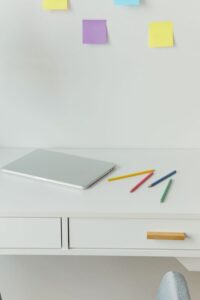
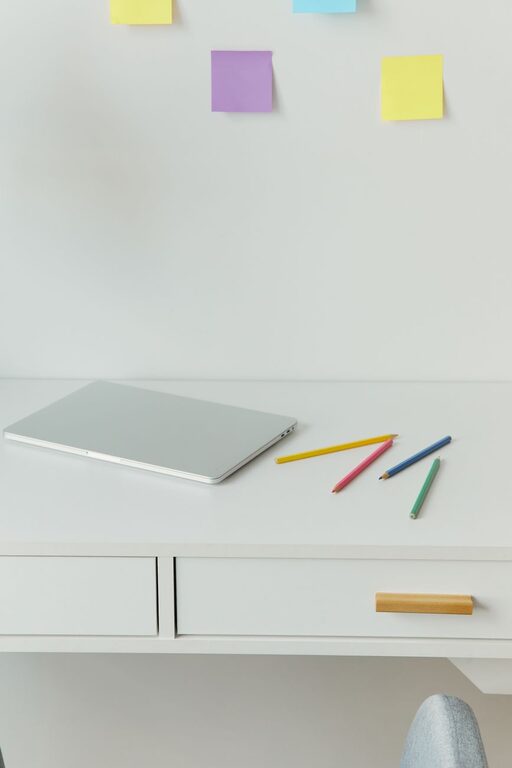
Keep the main work area clear. Your keyboard, mouse, notebook, and other daily tools should have a natural place on the desk. Items you use less often can go in a drawer, cabinet, or storage box.
A simple layout might include:
– A monitor or laptop in the center
– A keyboard and mouse directly in front of the screen
– A notebook or planner on the side you use most
– A small lamp positioned away from the screen
– A water bottle placed where it is easy to reach
– Storage for cables and small accessories
Avoid filling every open space with decorations or equipment. A clean surface makes it easier to begin tasks and reduces the time spent moving objects around.
Position Your Screen Carefully
Screen placement is one of the most important parts of a desk setup. Place your main screen directly in front of you so you do not need to turn your head repeatedly while working.
The top of the screen should be around eye level or slightly below. This helps you view the screen without constantly looking far up or down. Keep the screen far enough away that you can read comfortably without leaning toward it.
If you use a laptop for long periods, consider adding a laptop stand or a stack of sturdy books to raise the screen. Pair it with a separate keyboard and mouse so your hands can remain at a comfortable height.
For a dual-monitor setup, place the screen you use most often directly in front of you. Position the second screen beside it and angle it slightly inward. This arrangement can reduce unnecessary movement when switching between tasks.
Choose a Comfortable Chair Position
Your chair should allow you to sit with your feet supported and your shoulders relaxed. Adjust the height so your knees are level with or slightly lower than your hips, and keep both feet comfortably supported by the floor or a footrest.
Try to sit close enough to the desk that you do not need to reach forward for your keyboard or mouse. Keep your elbows near your sides and let your forearms rest in a relaxed position.
If your chair has adjustable features, test them one at a time. You may be able to adjust:
– Seat height
– Backrest angle
– Armrest height
– Seat depth
– Lumbar support
There is no single chair position that works for everyone. Change the settings until you can work comfortably without leaning forward or raising your shoulders.
Improve Your Lighting
Good lighting can make your workspace more pleasant and reduce screen glare. Whenever possible, use soft natural light from a window. Place the desk so light does not shine directly onto the screen or create strong reflections.
A desk lamp is useful when the room is dim. Choose one with an adjustable arm so you can direct light toward paperwork or the desk surface. Avoid placing a bright lamp directly behind the screen, as it may create distracting contrast.
If you work in the evening, use consistent room lighting rather than relying only on the light from your monitor. A softly lit room can make the workspace feel more balanced and comfortable.
Reduce Cable Clutter
Loose cables can make a desk look untidy and may get in the way. Start by identifying which cables you use every day. Remove or store anything that is no longer needed.
You can manage cables with:
– Reusable cable ties
– Adhesive clips
– A cable tray
– A power strip mounted under the desk
– Labels for chargers and devices
– A small box for spare cables
Leave enough slack for devices to move without pulling on the connections. Avoid tightly bending cables or placing them where they can catch on your chair.
Cable organization is not only about appearance. It also makes cleaning easier and helps you find the right charger or connection quickly.
Keep Essential Items Within Reach
Arrange your desk according to your routine. If you take frequent notes, keep a notebook and pen nearby. If you join regular video meetings, place your headset or microphone where it is easy to access.
Try grouping items by task. For example, keep writing supplies together, place charging accessories in one location, and store reference materials on a nearby shelf. This reduces visual clutter and makes transitions between tasks smoother.
A small tray can hold everyday items such as keys, earbuds, sticky notes, or a phone. If your phone is a frequent distraction, place it farther away or turn on a focus setting during important work.
Create a Distraction-Free Background
Your surroundings can influence how easy it is to concentrate. Remove unnecessary notifications from your computer and organize your desktop into a few clear folders. Close tabs and applications that are not related to your current task.
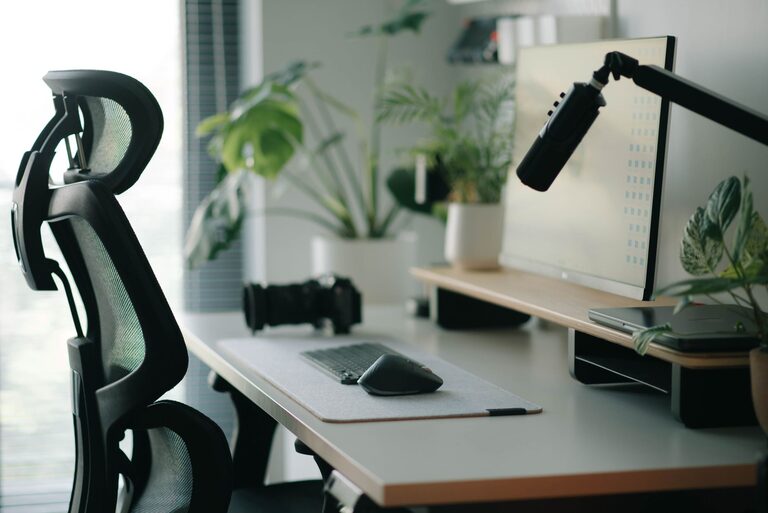
The physical area behind and beside your desk matters, too. A busy background may make video calls feel distracting, while a simple arrangement can create a calmer appearance. You can use a shelf, plant, or neutral wall art to personalize the space without overcrowding it.
Keep your most important task visible. A short written to-do list can help you focus without requiring several open apps or browser tabs.
Build Movement Into Your Workday
Even a well-arranged desk should not encourage you to stay in one position for too long. Make small changes throughout the day by standing up, walking briefly, or switching tasks.
Useful reminders include:
– Stand or stretch during breaks
– Refill your water regularly
– Look away from the screen from time to time
– Change your sitting position occasionally
– Walk during phone calls when practical
– Use a timer to divide long tasks into smaller sessions
These habits can make the workday feel less repetitive. Short breaks also give your mind a chance to reset before returning to a demanding task.
Personalize the Setup
Your workspace should be practical, but it should also feel inviting. Add a few items that make you enjoy using the area, such as a small plant, a favorite print, or a simple desk mat.
Choose accessories based on how you work rather than following every trend. A large monitor may be useful for design or spreadsheets, while a compact setup may be better for writing or reading. Test changes gradually and keep the items that genuinely improve your routine.
Review Your Setup Regularly
Your needs may change as your schedule, equipment, or projects change. Every few weeks, take a few minutes to review the workspace.
Ask yourself:
– Is anything difficult to reach?
– Do cables or objects get in the way?
– Is the lighting comfortable at different times of day?
– Are distractions easy to remove?
– Does the setup support your most common tasks?
Make one or two small adjustments at a time. A focused, comfortable desk does not need to be perfect. It should simply make your work easier, help you stay organized, and support a routine you can maintain.