







A workspace does not need a complete makeover to feel fresh. In many cases, ten focused minutes are enough to clear distractions, improve comfort, and create a better setting for your next task.
This quick reset works for a home office, a shared desk, a classroom table, or any small work area. The goal is not perfection. It is to make a few practical improvements that help your space feel cleaner, calmer, and easier to use.
Start With a Quick Reset
Before moving anything, take a moment to look at your workspace. Notice what feels distracting or uncomfortable. Is the desk covered with papers? Are cables tangled? Is your chair positioned awkwardly? Is there trash or a collection of items that belongs somewhere else?
Choose one simple goal for the next ten minutes, such as:
– Clear the main work surface
– Create more room for your keyboard or notebook
– Make frequently used items easier to reach
– Improve lighting
– Remove visual distractions
A clear goal keeps the reset focused and prevents you from turning a short refresh into a large cleaning project.
Minute One: Gather and Sort
Begin by collecting the items that are scattered around your workspace. Make three quick groups:
- **Keep here:** Items you use regularly at this desk
- **Move elsewhere:** Items that belong in another room or storage area
- **Recycle or discard:** Empty packaging, old notes, and items you no longer need
Do not spend too long making decisions. If something does not support your current work, move it out of the way for now. You can sort it more carefully later if needed.
A small box, basket, or reusable bag can make this step faster. Put items that belong elsewhere into the container and return them after the ten-minute refresh.
Minutes Two and Three: Clear the Main Surface
Your main work area should support the task in front of you. Remove everything that is not needed for your current activity.
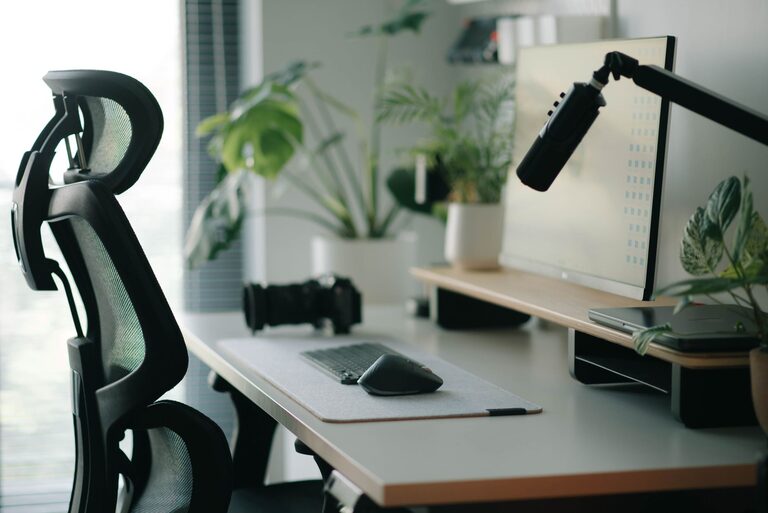
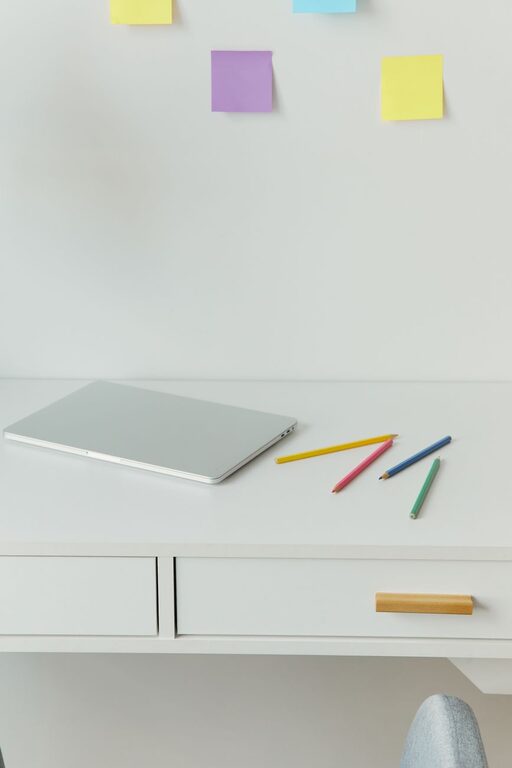
For many people, the ideal desk surface includes only a few basics:
– Computer or tablet
– Keyboard and mouse
– Notebook or planner
– Pen or pencil
– Water bottle
– One useful personal item
A mostly clear surface makes it easier to spread out documents, write notes, or switch between tasks. It also reduces the number of objects competing for your attention.
If you have papers on the desk, create two short stacks: “action” and “file.” Place urgent or active items in the first stack. Put reference papers and completed documents in the second. Avoid creating a large pile with no clear purpose.
Minutes Four and Five: Improve Your Layout
Now arrange your most-used items so they are easy to reach. Keep things you use several times a day within arm’s length. Place less frequently used items in a drawer, cabinet, or shelf.
Think about the natural movement of your work. If you write often, leave enough open space beside your keyboard. If you take calls, keep headphones or a notepad nearby. If you use a mouse, make sure it has enough room to move comfortably.
A simple layout can include:
– A clear central area for your main task
– Frequently used tools on your dominant-hand side
– Reference materials slightly farther away
– Personal items placed where they add interest without taking over the desk
Try to keep the area directly in front of you as open as possible. This creates a visual starting point and makes the workspace feel less crowded.
Minute Six: Tame Visible Cables
Loose cables can make even a tidy desk look unfinished. You do not need a complicated cable management system for a quick improvement.
Gather charging cords and move them toward the back or side of the desk. Use a reusable cable tie, clip, or simple loop to keep each cord from spreading across the work surface. Labeling cords can also help if you regularly unplug devices.
Avoid pulling cables too tightly. They should have enough length for comfortable use and should not create a tripping hazard. If a cord is not connected to a device you use regularly, unplug it and store it out of sight.
Even one small change, such as guiding your laptop charger behind the monitor or desk, can make the entire space look cleaner.
Minute Seven: Refresh the Light
Good lighting can make a workspace feel more inviting. Check whether your current light is too dim, too bright, or positioned in a way that creates glare.
If possible, place a lamp to the side of your work area rather than directly behind your screen. Natural light can be pleasant, but avoid positioning your monitor where sunlight reflects directly into your eyes or onto the display.
For a fast refresh, you can:
– Turn on a nearby lamp
– Open curtains or blinds
– Move a light source closer
– Clean dust from the lamp or screen
– Adjust your monitor angle to reduce glare
A small lighting adjustment often changes the mood of the entire workspace.
Minute Eight: Make One Comfort Adjustment
A refreshed workspace should also feel comfortable. Make one small change to your chair, screen, or keyboard position.
Place your screen at a comfortable height and distance. Keep your keyboard and mouse close enough that you do not need to reach forward. Adjust your chair so your feet rest comfortably and your shoulders can relax.
You can also add a simple comfort item, such as:
– A small cushion
– A footrest
– A soft desk mat
– A coaster for your drink
– A light layer of clothing if the room feels cool
Do not try to redesign your entire setup in one session. Pick one adjustment that makes the biggest difference right now.
Minute Nine: Add a Useful Personal Touch
A workspace should feel practical, but it does not have to feel plain. Add one item that makes you happy or helps you stay organized.
Consider a small plant, a favorite photo, a simple print, or a neatly arranged container for pens. You might also place a short list of current priorities where you can see it.
The key is to choose one or two intentional items rather than filling every open space. Personal touches work best when they add comfort without becoming distractions.
Minute Ten: Prepare for the Next Task
Use the final minute to set up your next work session. Put the materials you need within reach and remove anything that belongs to a completed task.
Write down the next action in clear, specific language. Instead of writing “work on project,” try:
– Draft the opening paragraph
– Review the first three pages
– Reply to the two pending messages
– Organize the notes from today’s meeting
A clear next step makes it easier to begin when you return to your desk. If you are finished working for the day, leave the surface ready for tomorrow. This small habit can make your next start feel much smoother.
Keep the Refresh Going
A ten-minute reset is most effective when it becomes easy to repeat. Try refreshing your workspace at the beginning or end of each workday.
You can use this short routine:
– Remove trash and empty cups
– Return misplaced items
– Clear the main work surface
– Put away completed papers
– Check your lighting and chair
– Prepare one item for the next task
You may also want to schedule a longer reset once a week. Use that time to dust surfaces, clean your screen, sort papers, and review supplies.
Final Thoughts
Refreshing your workspace does not require new furniture, expensive accessories, or a full reorganization. Ten minutes of focused attention can improve the way your desk looks and feels.
Start with clutter, create room for your current task, adjust one comfort detail, and prepare for what comes next. By keeping the process simple, you can build a workspace that supports focus without demanding much time.